
A Webflow alternative that starts from your finished website
You've polished every detail in Webflow. Now you want your own hosting or a catalog with filters, and you find out the code export is only half a website. We move the whole thing to SQRL, CMS content included.
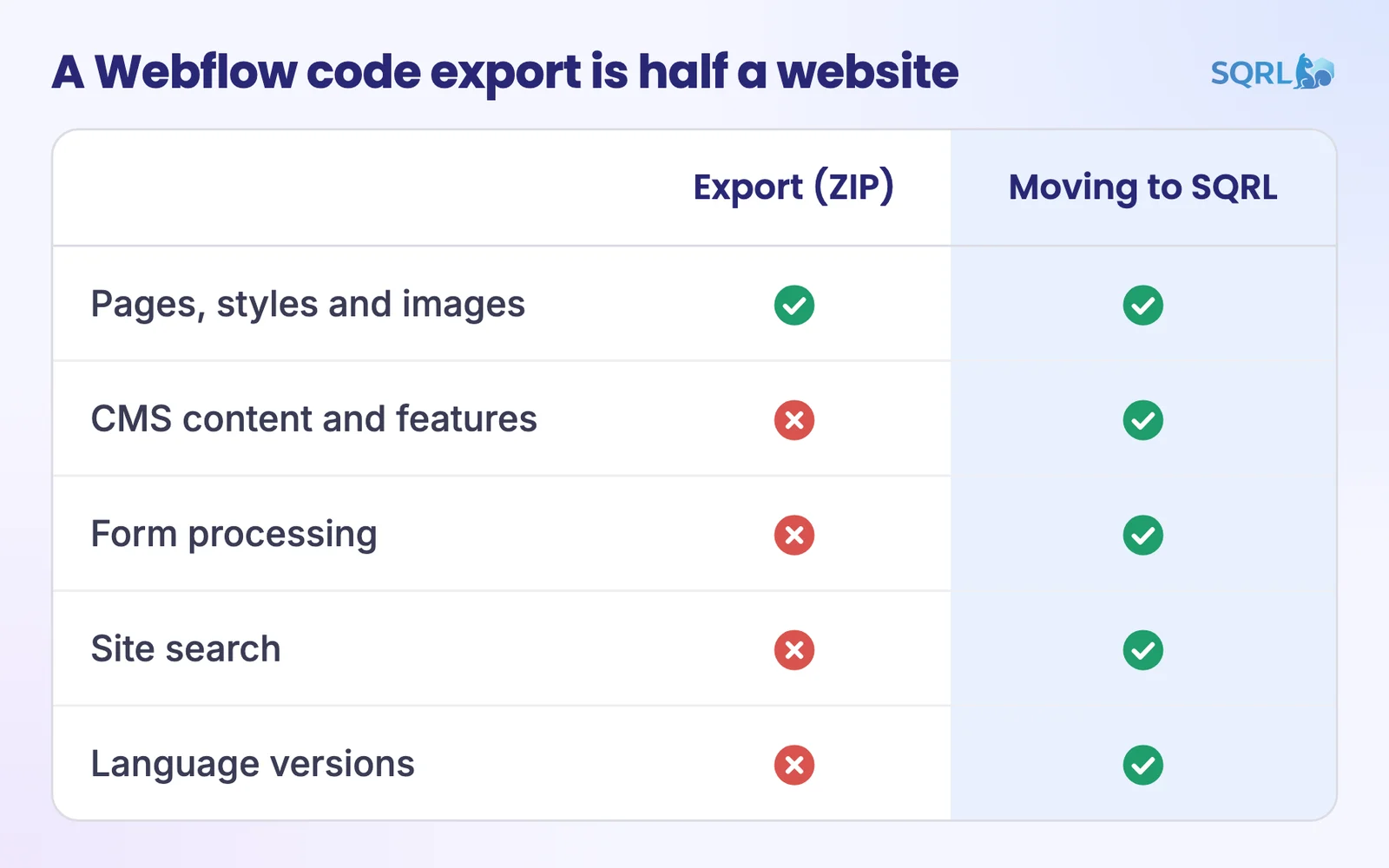
What an export gives you and what a move gives you
The Webflow help center is direct about it. The export is a ZIP with pages, styles, scripts and images. It requires a paid Workspace plan, and this is what doesn't work:
Webflow code export
Tip: you can back up your collections from Webflow as CSV. Do it anyway. A backup never hurts.
- Pages, styles, scripts and images
- CMS content and features: lists come out empty
- Form processing
- Site search
- Language versions
Moving to SQRL
Recommended- Pages and design 1:1
- CMS content: as items with fields
- Forms: in the SQRL builder
- Search: it's part of the system
- Language versions
What turns into what
| In SQRL | |
|---|---|
| Designer pages | Blocks in the site's theme |
| CMS collections | Content types with declared fields |
| Collection lists | Listings and a catalog with filters |
| Forms | Form builder |
| Webflow Localize | Language versions in the core |
| 301 redirects | Redirect manager |
When moving makes sense
Your site is turning into a catalog
Webflow's Premium plan is capped at 20,000 items and 40 collections. For plenty of sites, that's enough. But with a parametric catalog, the count isn't the real issue. Filters are. We built all of SQRL around them.
You want the site under your control
After the move, it runs with us, with you, or at a regular hosting provider. The code and data are yours.
People outside design edit the content
Marketing changes text right on the page. No need to learn the Designer. Click a heading and type.
When to stay on Webflow
That's what Webflow is built for, and the hosting comes with it.
If the Designer is your main working tool, moving would take more than it gives.
Webflow has e-commerce. SQRL has no cart or payments.
FAQ
No. We work from the public website and only need your consent. That also spares you the paid plan the export requires.
Simple ones do. We handle more complex Interactions case by case and tell you up front.
Nobody can honestly guarantee rankings. Whatever can stay at the same address does, and the rest gets a 301, a permanent redirect.
The step-by-step process is on the Migrate to SQRL page.
Book a SQRL demo
We'll go through your Webflow site with you and tell you what moves on its own and what we'd handle case by case.
You don't need half a website in a ZIP.