
A WordPress alternative that doesn't make you build your website again
WordPress is a good system. But if your catalog has outgrown it, or you spend more time on plugins than content, switching platforms doesn't have to mean starting over. We move your site to SQRL 1:1, content included.
When WordPress starts to creak
The plugins pile up
In 2025, Patchstack counted 11,334 new vulnerabilities in the WordPress ecosystem. 91% were in plugins, and only 6 were in core. So the weak spot isn't WordPress itself. It's every third-party add-on you put on the site.
The catalog can't keep up
Customers combine filters and wait. WordPress stores product parameters in a way that isn't well suited to filtering. We wrote about it in WordPress and a catalog of thousands of products.
Every update is a gamble
Forms, SEO, languages and caching often come from plugins by different authors. One update is enough for one of them to stop getting along with the rest.
The site loads slowly
In our measurement, median LCP, the time the largest part of a page takes to load on mobile, was 8.7 s for WordPress and 4.3 s for SQRL. The method is on the compare page. It compares systems. It's not a promise for any specific site.
When to stay on WordPress
We won't try to talk you out of it here.
A ready-made theme does the job and nothing's holding you back.
WooCommerce handles orders and payments. SQRL doesn't.
The WordPress ecosystem is huge. In SQRL, some things would have to be built.
They're easier to find for WordPress than for SQRL. That's a fact.
Why a WordPress export isn't enough
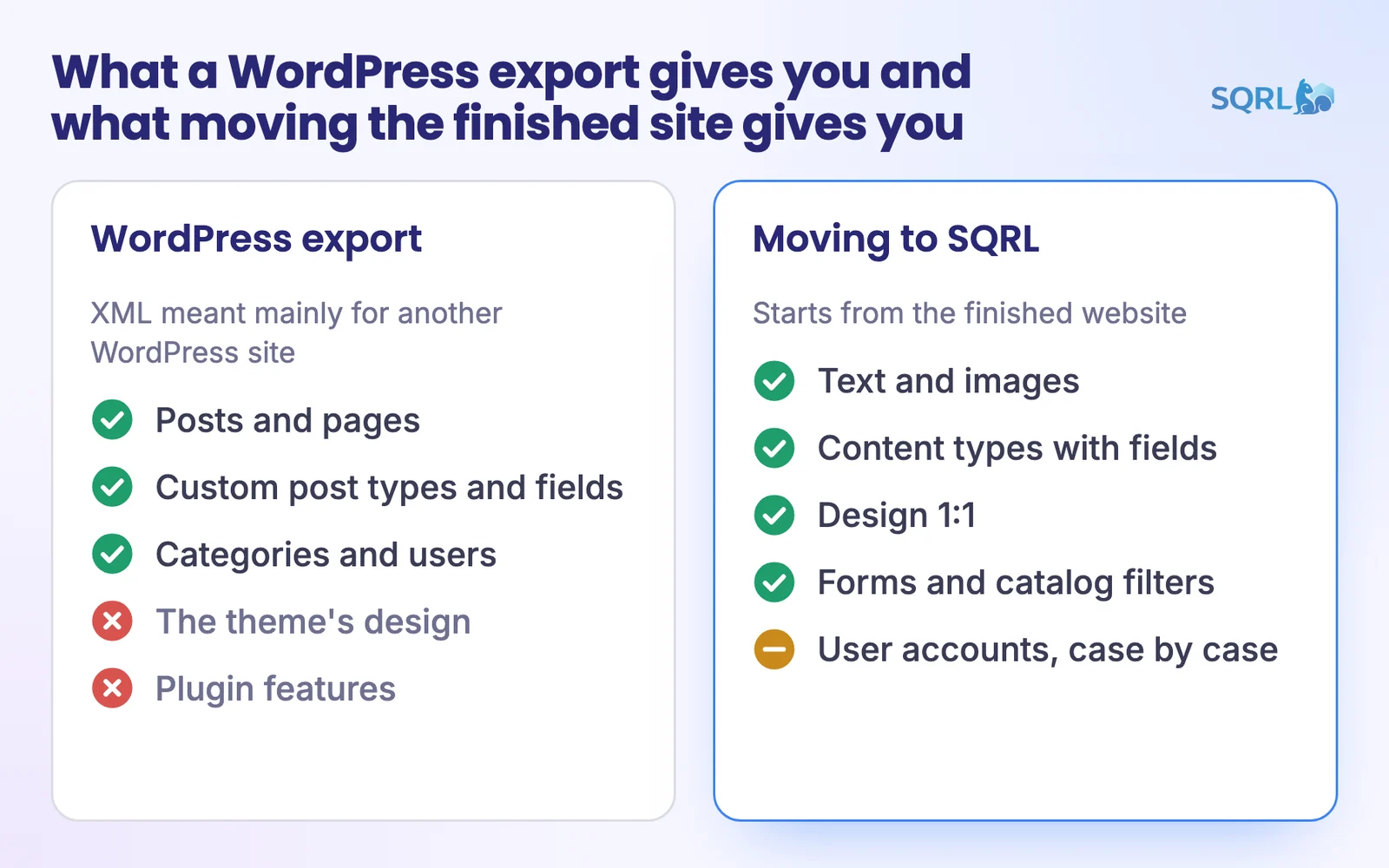
WordPress has a built-in export. It creates an XML file with posts, pages, custom post types and fields, categories and users. But it's mainly meant for importing into another WordPress site, and themes and plugins aren't on its list.
So you'd get content without the design and the features. And you'd still be rebuilding the site.
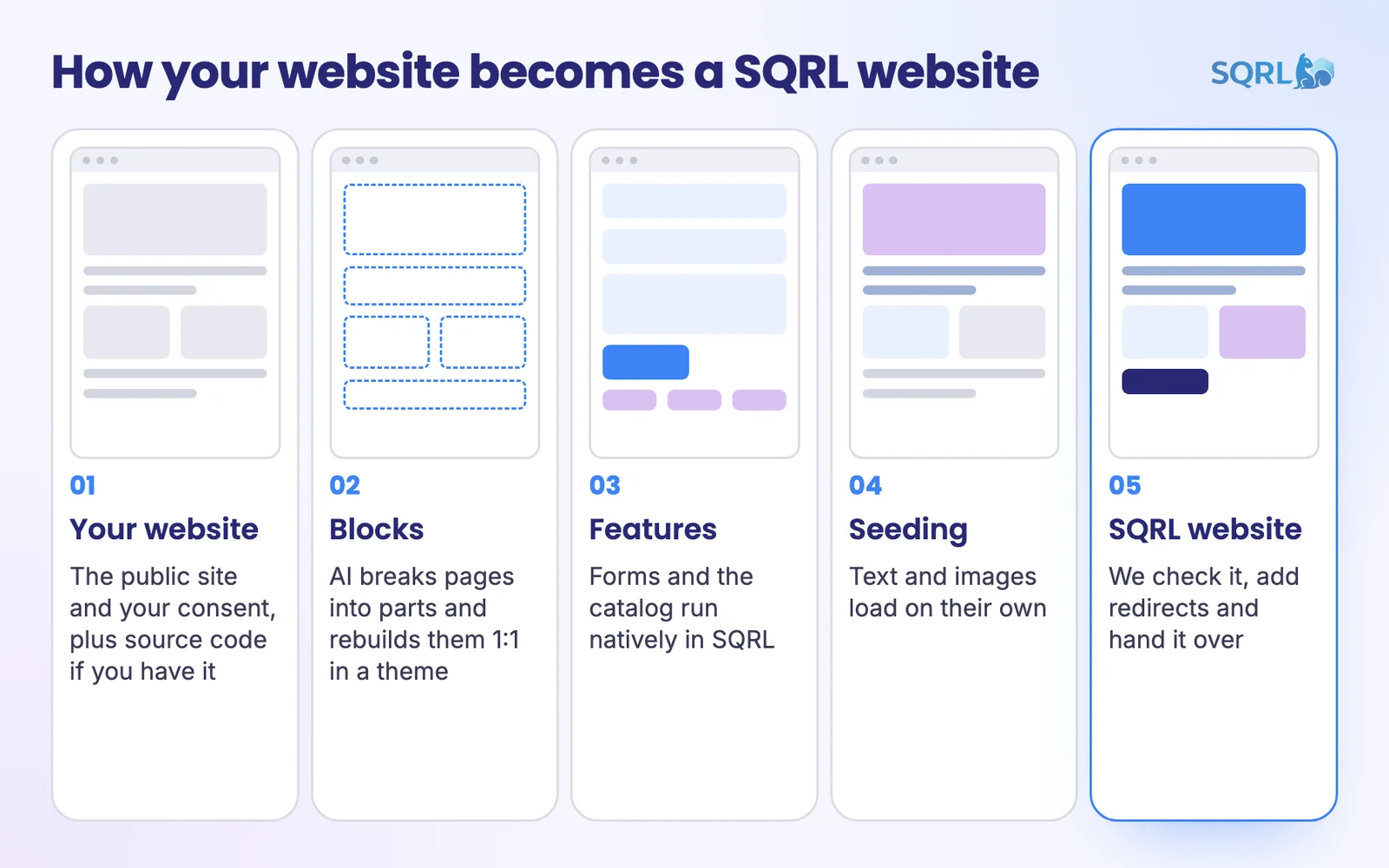
That's why we don't start with an export. We start with the finished website. AI goes through the pages and source code and moves them to SQRL. If you also send the theme and plugin code, we can carry over more of the logic.
What turns into what
| In SQRL | |
|---|---|
| Gutenberg or Elementor pages | Blocks in the site's theme, design 1:1 |
| Custom post types and ACF | Content types with declared fields |
| WooCommerce products | Catalog items with fields and filters, no orders |
| JetEngine, FacetWP | Catalog filters in the core |
| Contact Form 7, WPForms, Gravity Forms | Form builder |
| Yoast, Rank Math | SEO settings in the core, sitemap, redirects |
| Polylang, WPML | Language versions in the core |
| Redirection | Redirect manager |
| Cache plugins | Cache in the core |
Heads up: integrations with external systems, complex plugin logic like calculators, and user accounts don't move automatically. We handle those case by case. And we don't move WooCommerce orders.
How the move from WordPress works
Consent and address
Send us the address and confirm the owner's consent. You don't have to let us into wp-admin. The theme and plugin code does help, though.
What the plugins do
We go through what's actually running on the site. Whatever has a replacement in the SQRL core goes away. Whatever doesn't, we handle case by case.
Move and seeding
AI turns pages into blocks and features into SQRL features. Seeding, which fills the site with data automatically, adds the text and images. The full process is on the Migrate to SQRL page.
Addresses and handover
Whatever can stay at the same address stays there. The rest gets a 301, and we paste the old addresses in bulk. Then we hand over the site.
What changes after the move
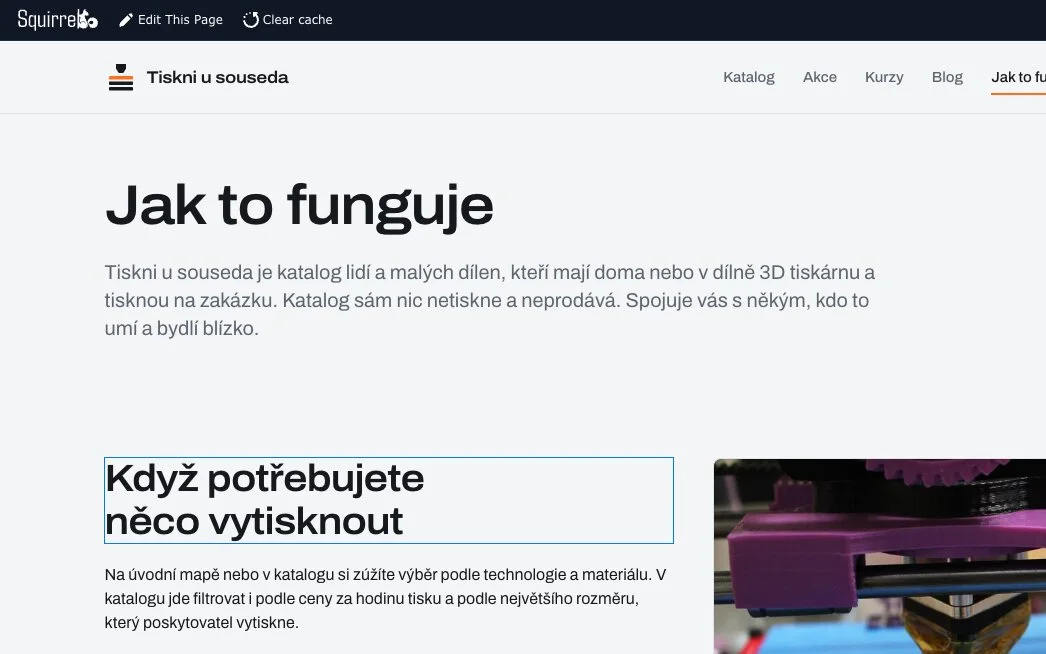
Instead of hunting for the right page in wp-admin, you type directly on the site. Filters, forms, SEO and languages are part of the system, so there are fewer plugins to update.
To be fair: your editors will need to get used to a new admin. And the WordPress guides they know won't apply here.
- Inline editing of text and images on the live page
- Revisions with one-click restore
- Running the site through AI and MCP
FAQ
Nobody can honestly guarantee rankings. We can look after the addresses, though: whatever can stay the same does, and the rest gets a 301, a permanent redirect to the new address.
Yes. We move pages from Elementor and other page builders to blocks 1:1.
We turn products into catalog items with fields and filters. We don't move orders, and SQRL has no cart or payments. If you sell through your site, stay on WooCommerce.
We build it for you. We'll tell you up front, before we start the move.
Yes. The move handles language versions, and in SQRL they're part of the system.
Yes. Read more about how catalogs work in SQRL on the Product catalogs page.
Book a SQRL demo
We'll go through your WordPress site with you and tell you what moves on its own and what we'd handle case by case. And if staying turns out to be the better call, we'll tell you that too.
You already have a website. You don't need to build it twice.